Your git worktrees, inside VS Code
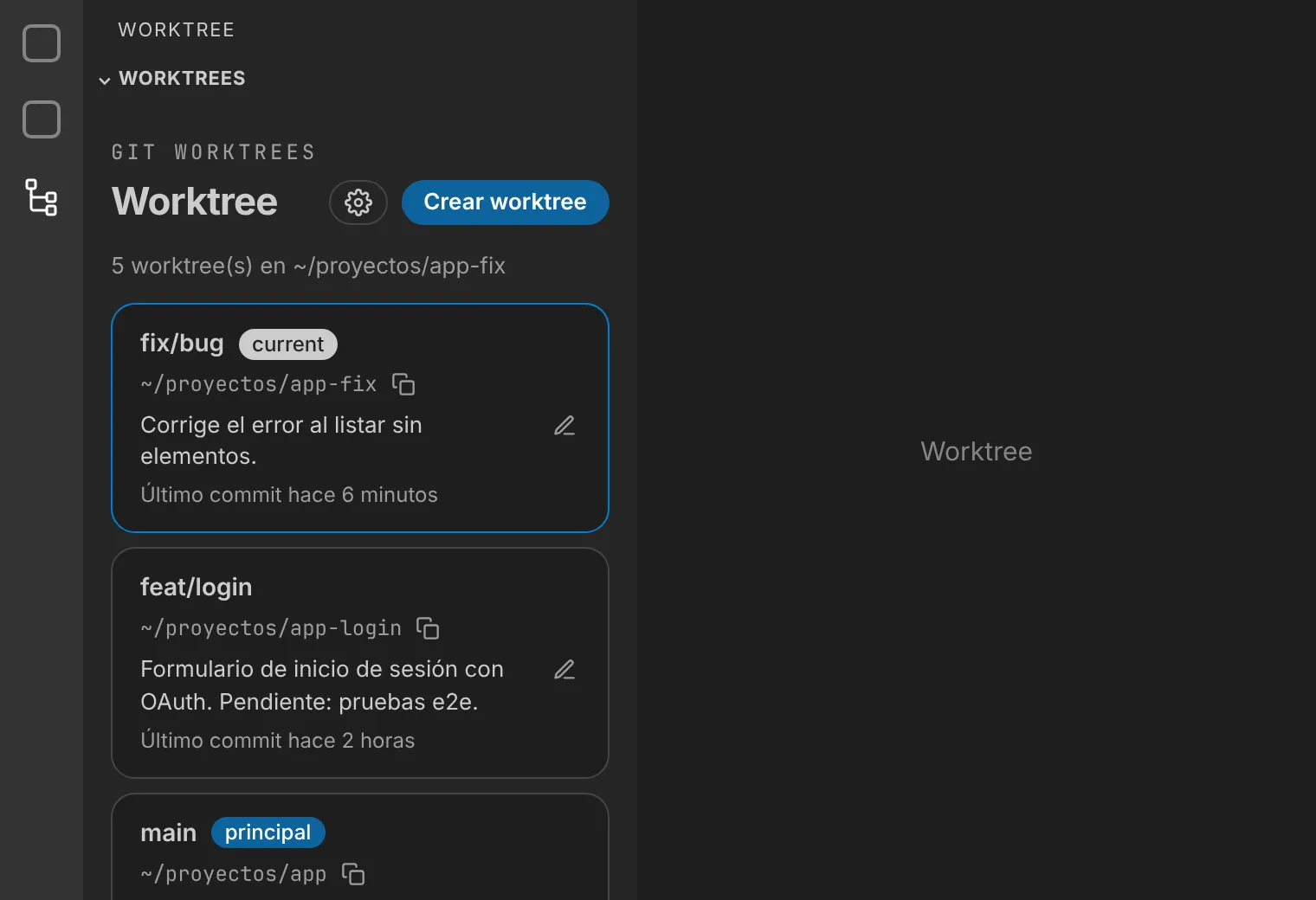
Worktree adds a view to the activity bar that lists every worktree in your repository: sort them by activity, open them, create them and annotate them without leaving the editor.
What it does
-
Sorted by activity
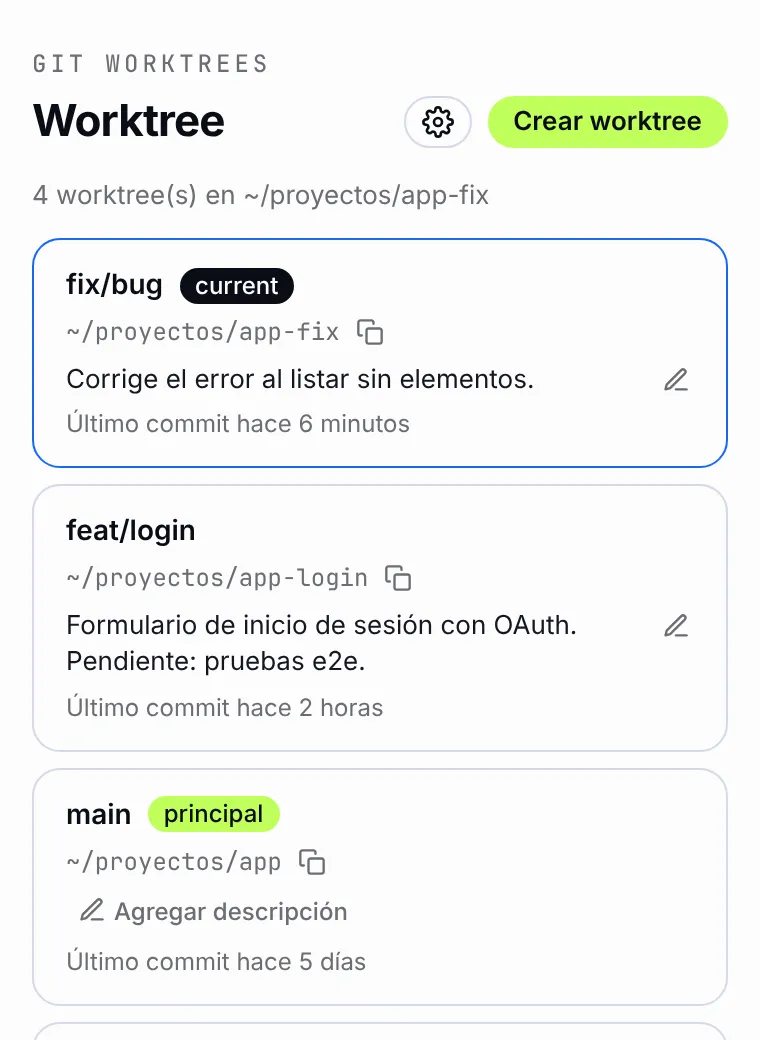
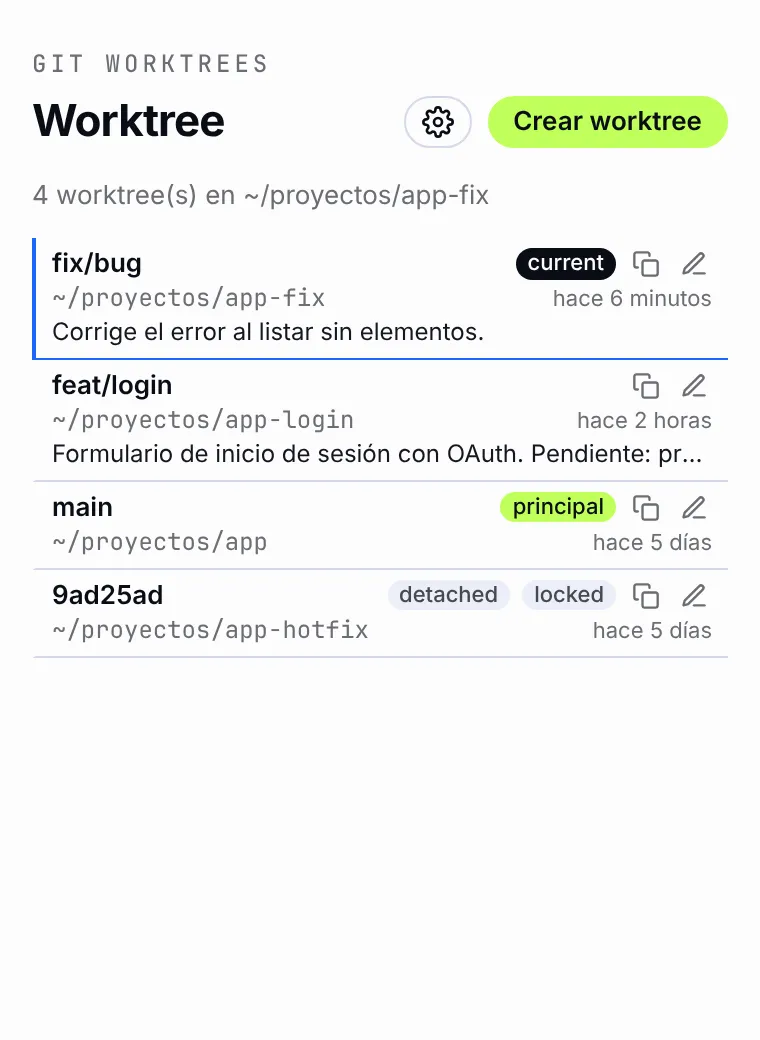
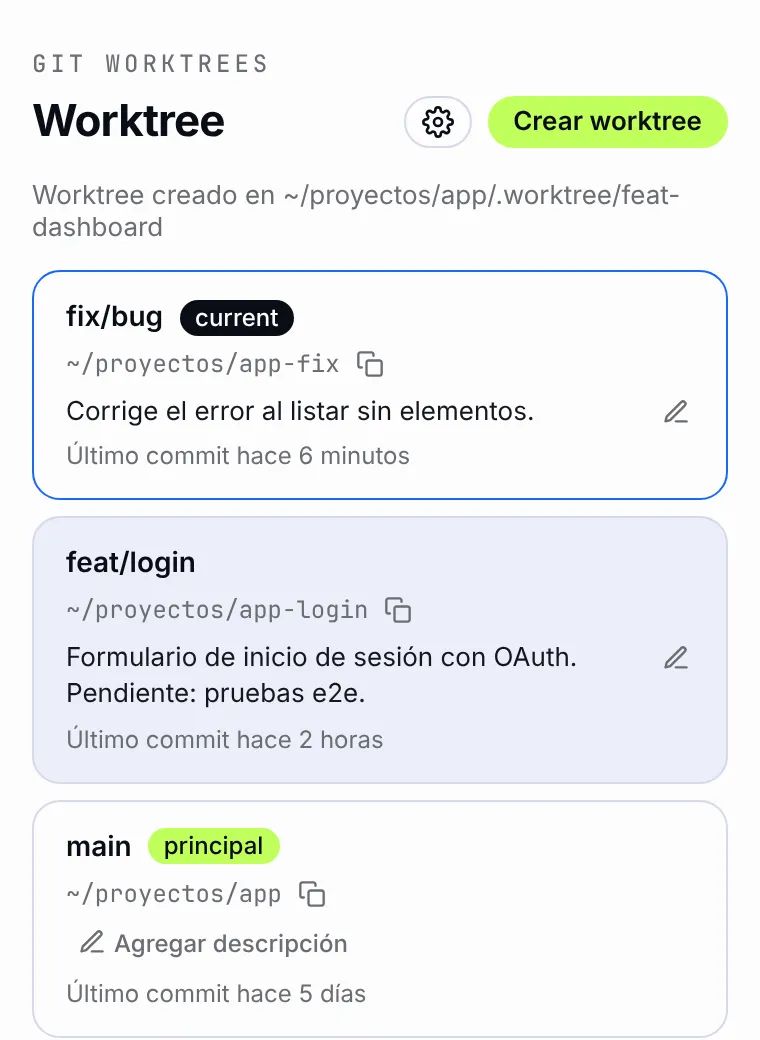
From the newest commit to the oldest, with branch, path and last commit date. The current worktree is tagged current and the main one principal.
-
Open with a double click
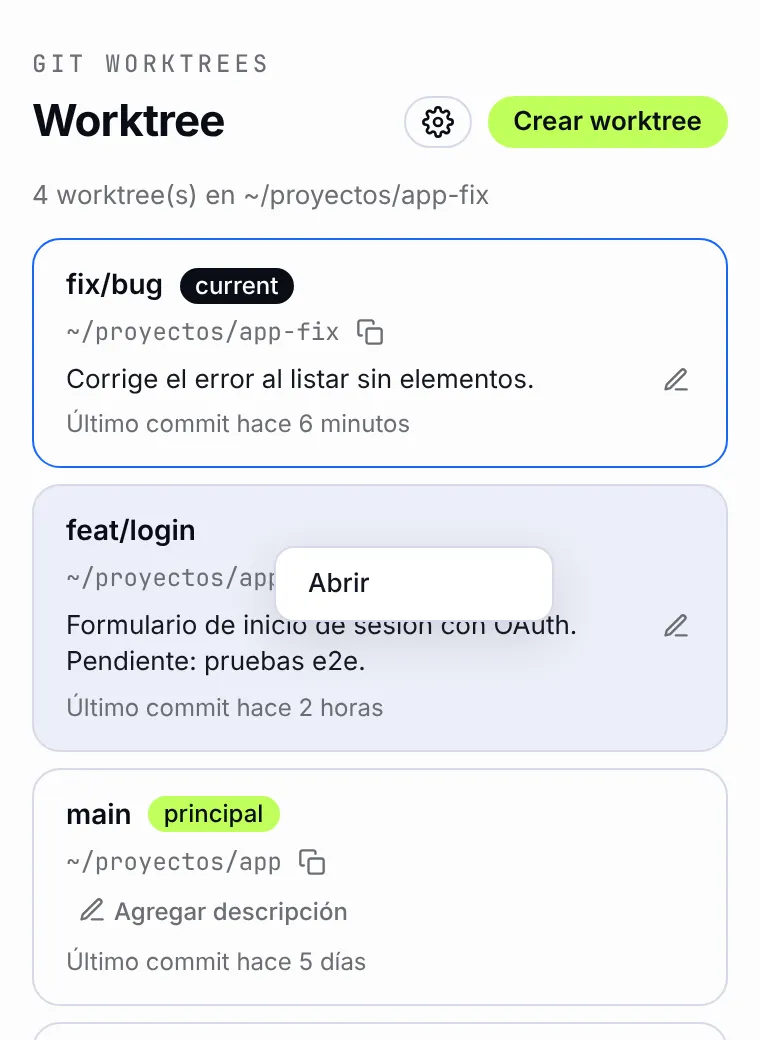
Double-click or right-click → Open and the worktree opens in a new VS Code window.
-
Copy the path
Copy the path to the clipboard. Paths inside your home folder are shown shortened with ~.
-
Per-worktree description
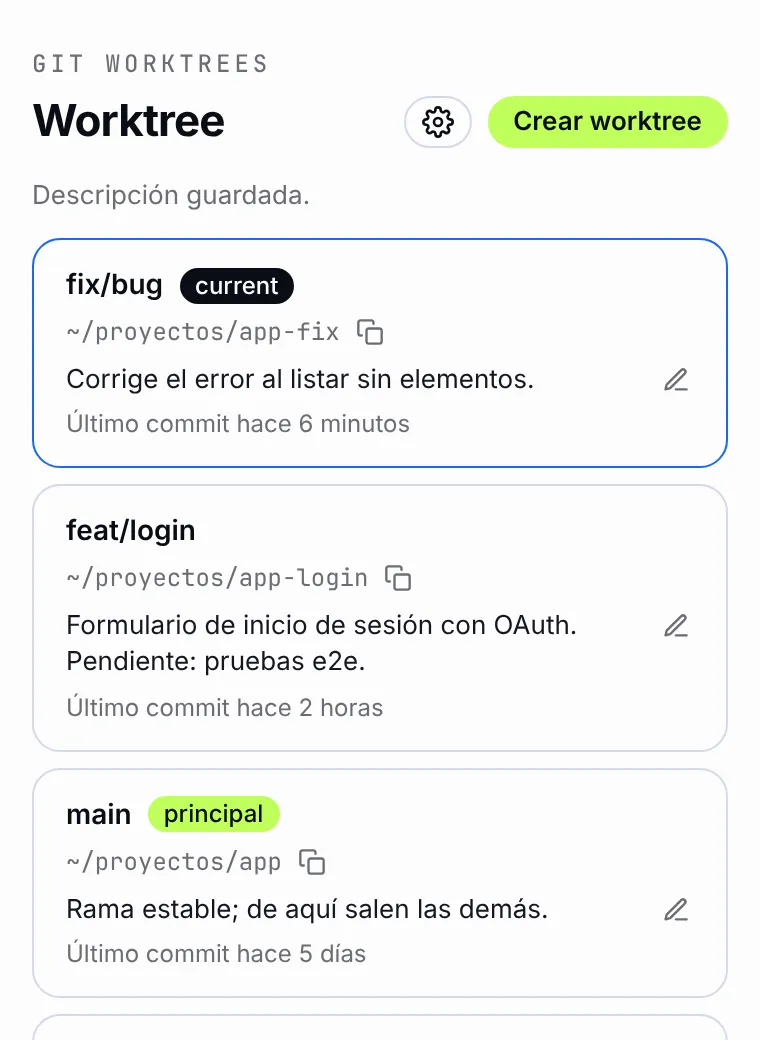
Add a note of up to 500 characters to each card. It saves itself and is shared across every window of the repository.
-
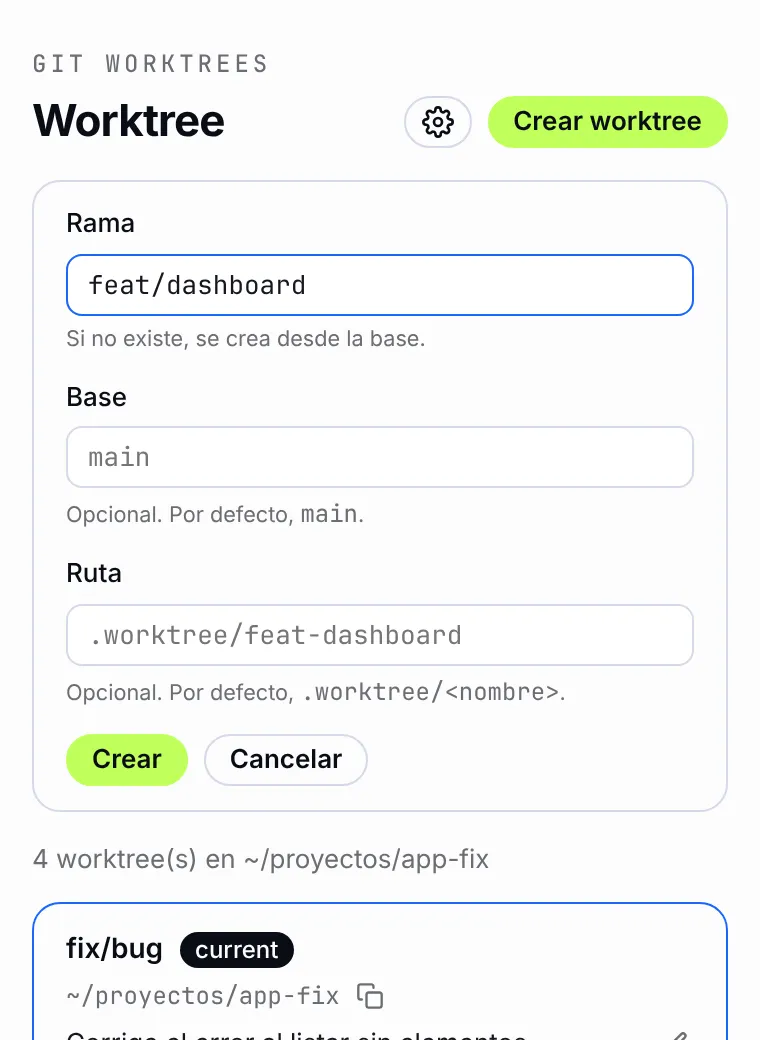
Create worktrees
A form with optional branch, base and path to create a new worktree without touching the terminal.
-
Live updates
The list stays current through SSE: when git data changes, the view refreshes by itself.
-
Compact style
Switch from cards to dense rows in the settings when you have many worktrees.
-
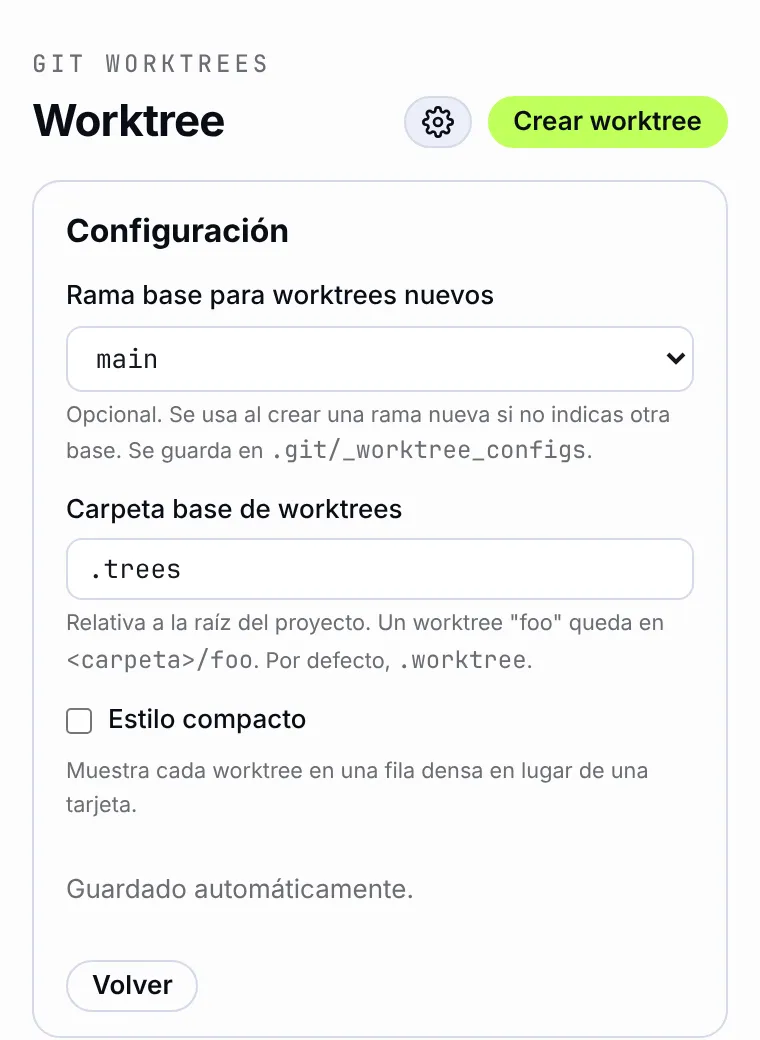
Configurable
Choose the base branch for new worktrees and the folder where they are created (.worktree/ by default).
Screenshots
- Highlighted current worktree
- Open menu
- Per-worktree description
- Compact style
- Create worktree
- Worktree created
- Settings
Install it in seconds
- Instala Worktree desde el Marketplace de VS Code.
- Abre un repositorio git.
- Pulsa el icono de Worktree en la barra de actividades.
Open source under the MIT license. Ideas or problems? Open an issue on GitHub.